Sign a contract
From an accepted offer to a signed agreement, including signers who have no Pazar account.
- 1
Name who signs for your side
In the sidebar, under Signs for licensor or Signs for licensee, click Assign, or Change if someone is already named. Choose I sign, Someone else in the organisation, or Someone without an account, then click Assign.
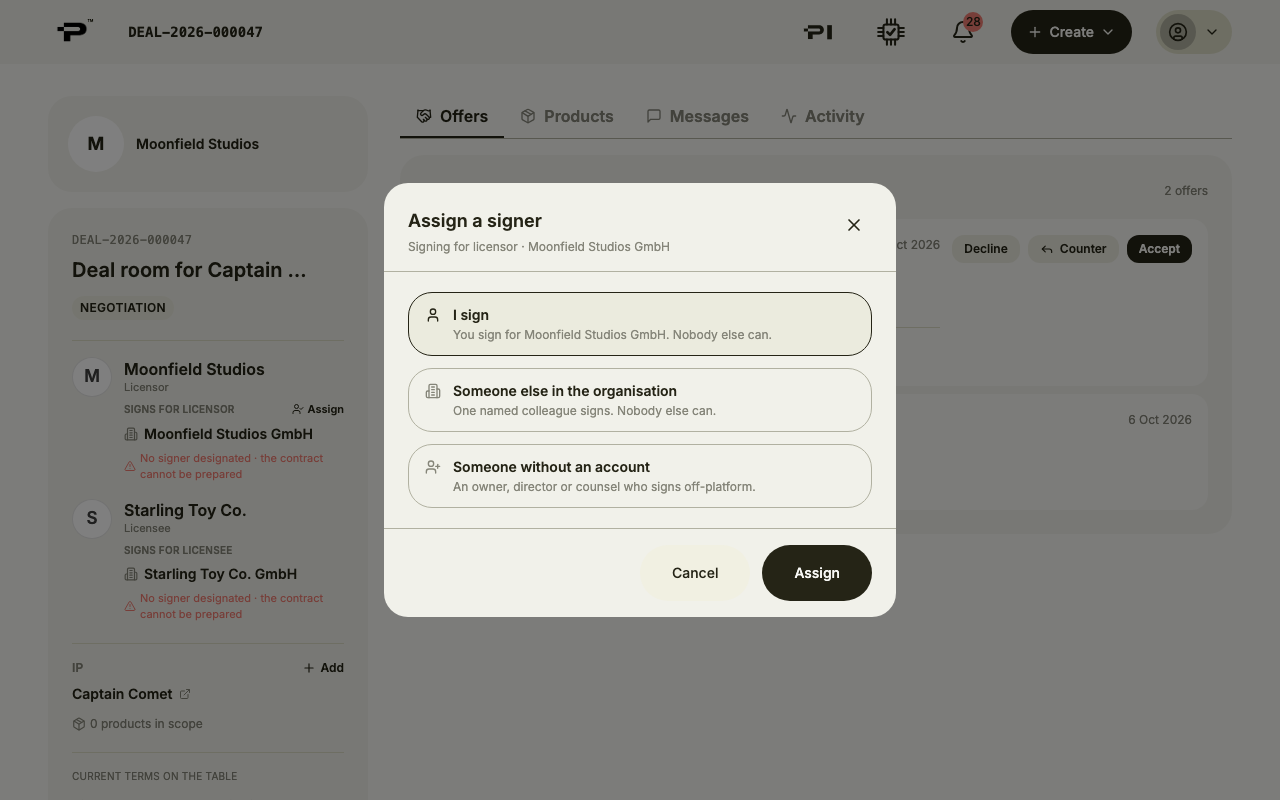 Until a signer is named, the contract cannot be prepared, so set this early.
 - 2
Open the Signing tab
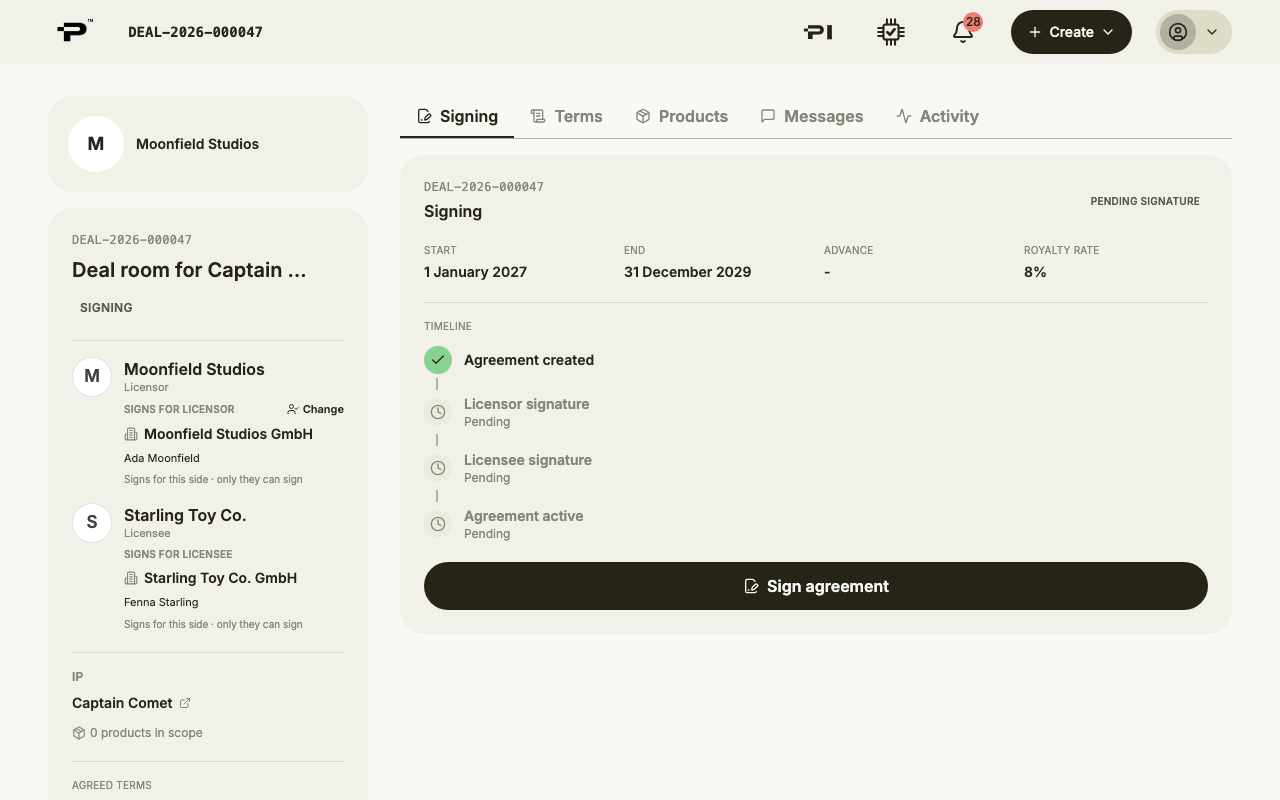
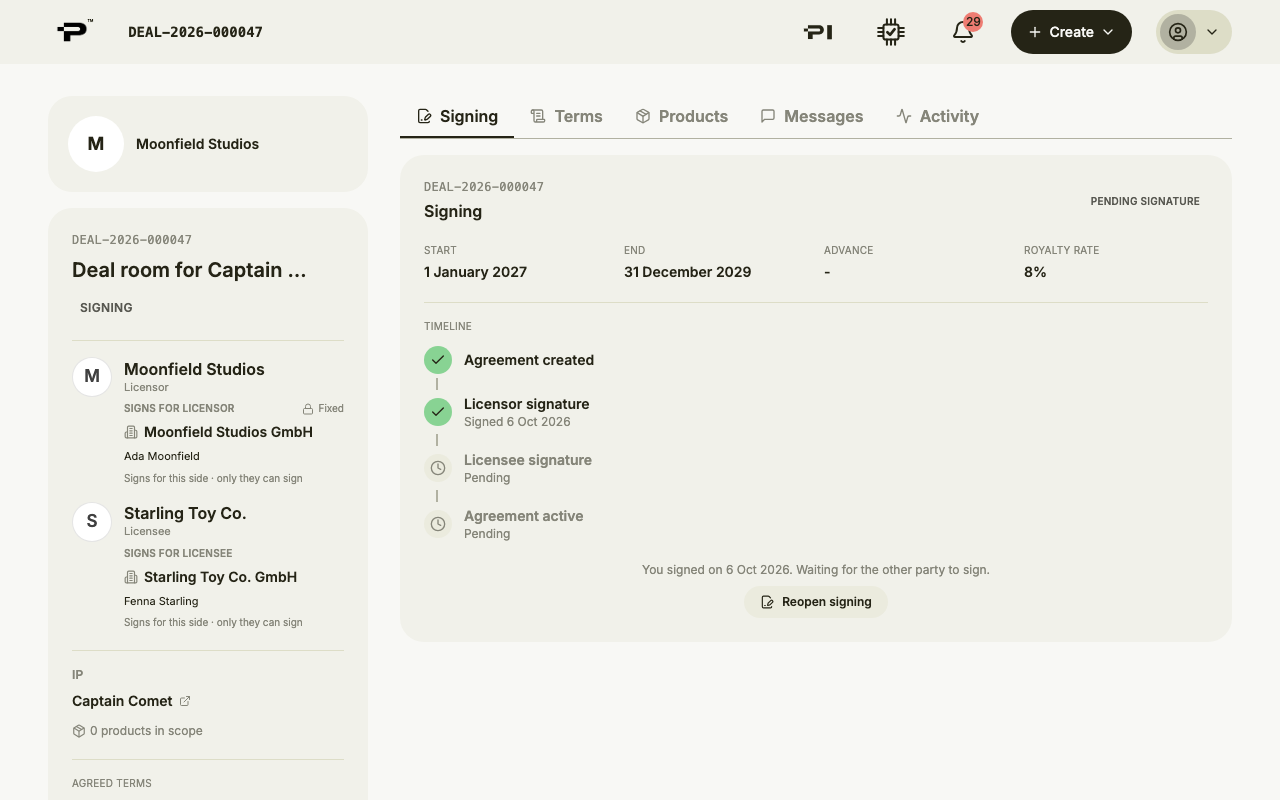
Once an offer is accepted the room opens on Signing, marked Pending signature. It shows the key dates and royalty rate, and a timeline: Agreement created, Licensor signature, Licensee signature, Agreement active.
- 3
Open the signing window
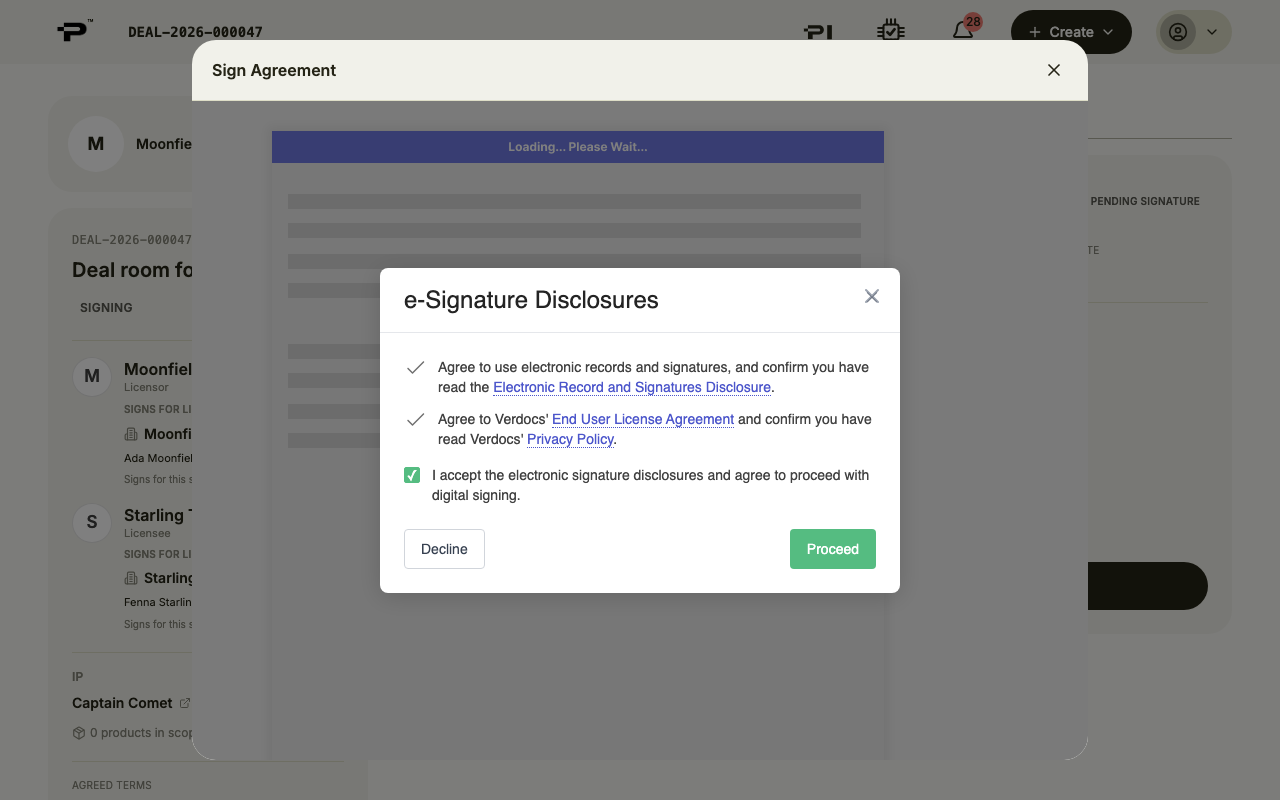
Click Sign agreement. The first time you sign, you are asked to accept the e-signature disclosures: tick the box and click Proceed. The agreement then opens, with Next at the top to take you through it.
- 4
Adopt your signature
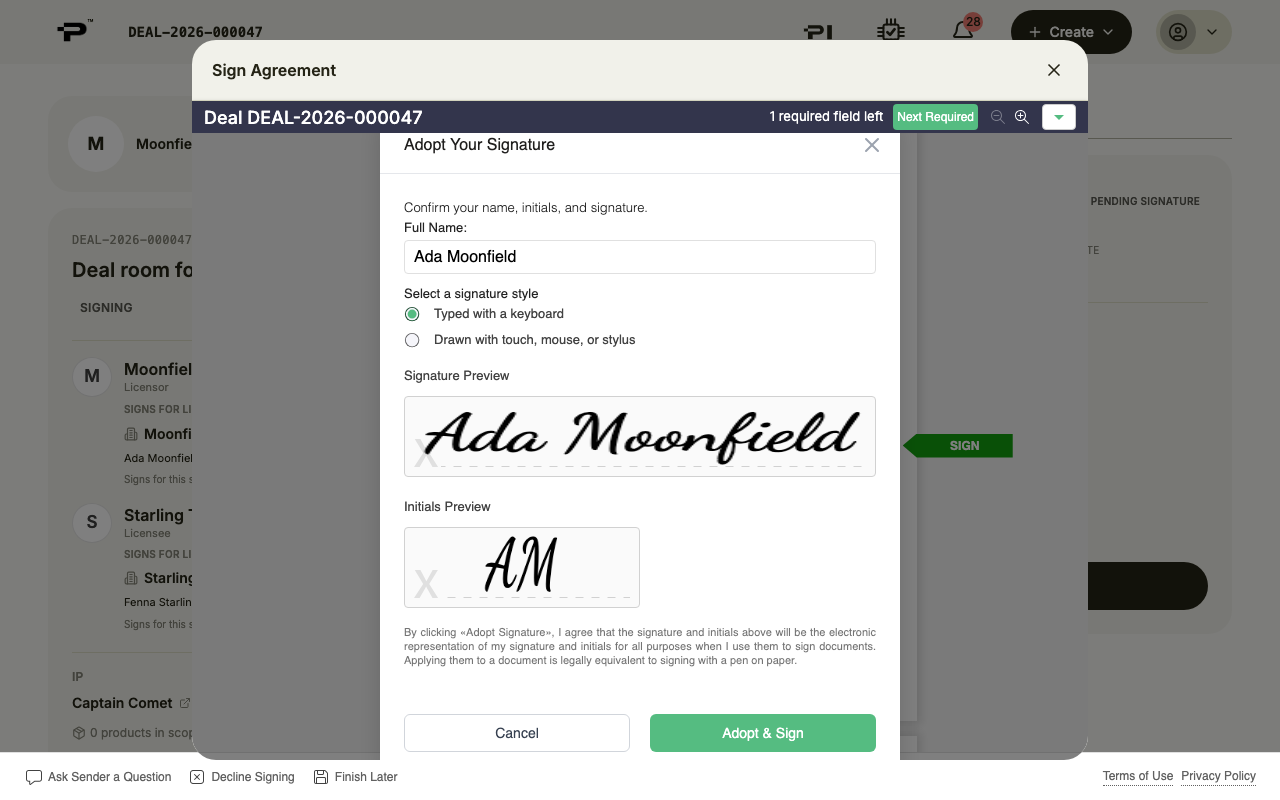
Click Next Required to jump to the signature field, then click it. Adopt Your Signature opens with your full name filled in, typed with a keyboard, and a preview of your signature and your initials. Check both: your initials are adopted together with your signature.
- 5
Or sign by hand
To sign by hand, choose Drawn with touch, mouse, or stylus and draw your signature with your mouse or finger. Then click Adopt & Sign.
- 6
Click Finish
Once every field is filled, the button at the top reads Finish. Click it to submit your signature.
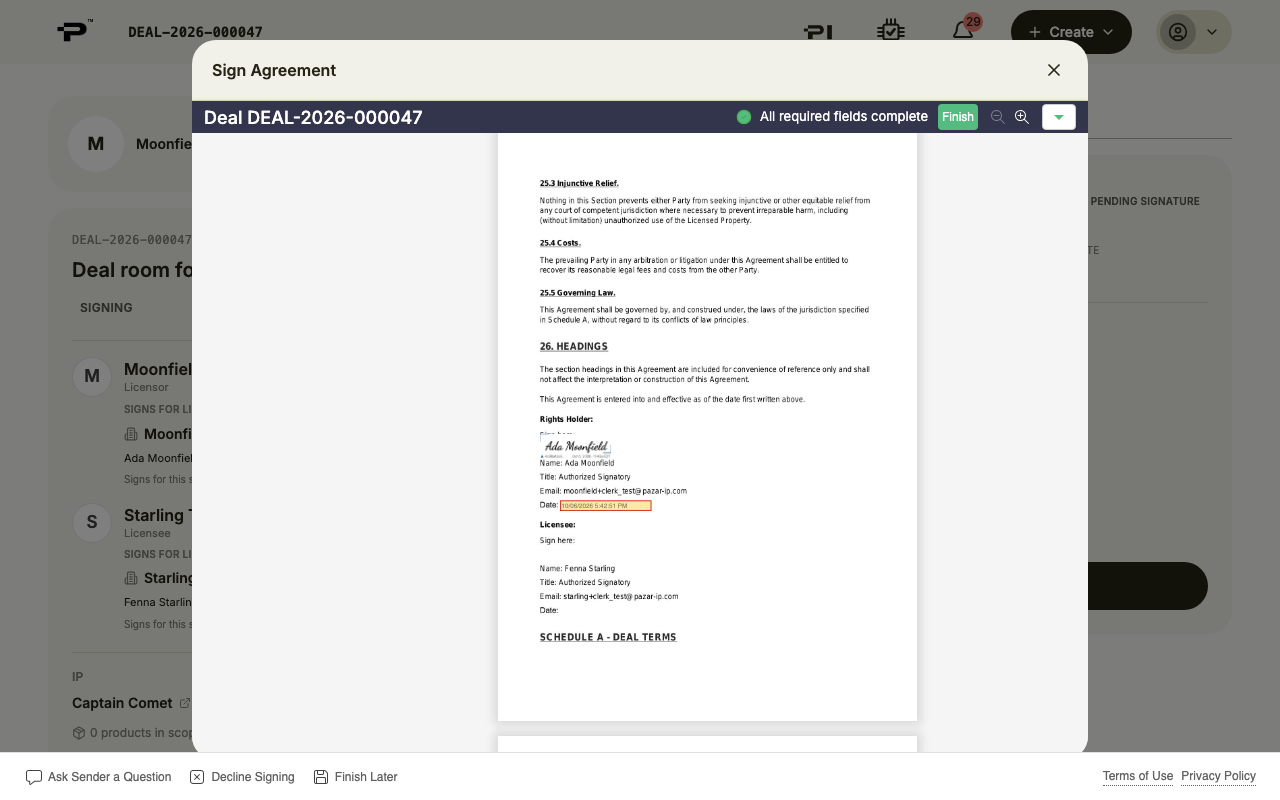 Your signature only counts once you click Finish. Closing the window before that leaves the agreement unsigned.
 - 7
Wait for the other side
The Signing tab now says you signed and that it is waiting for the other party.
- 8
A signer without an account
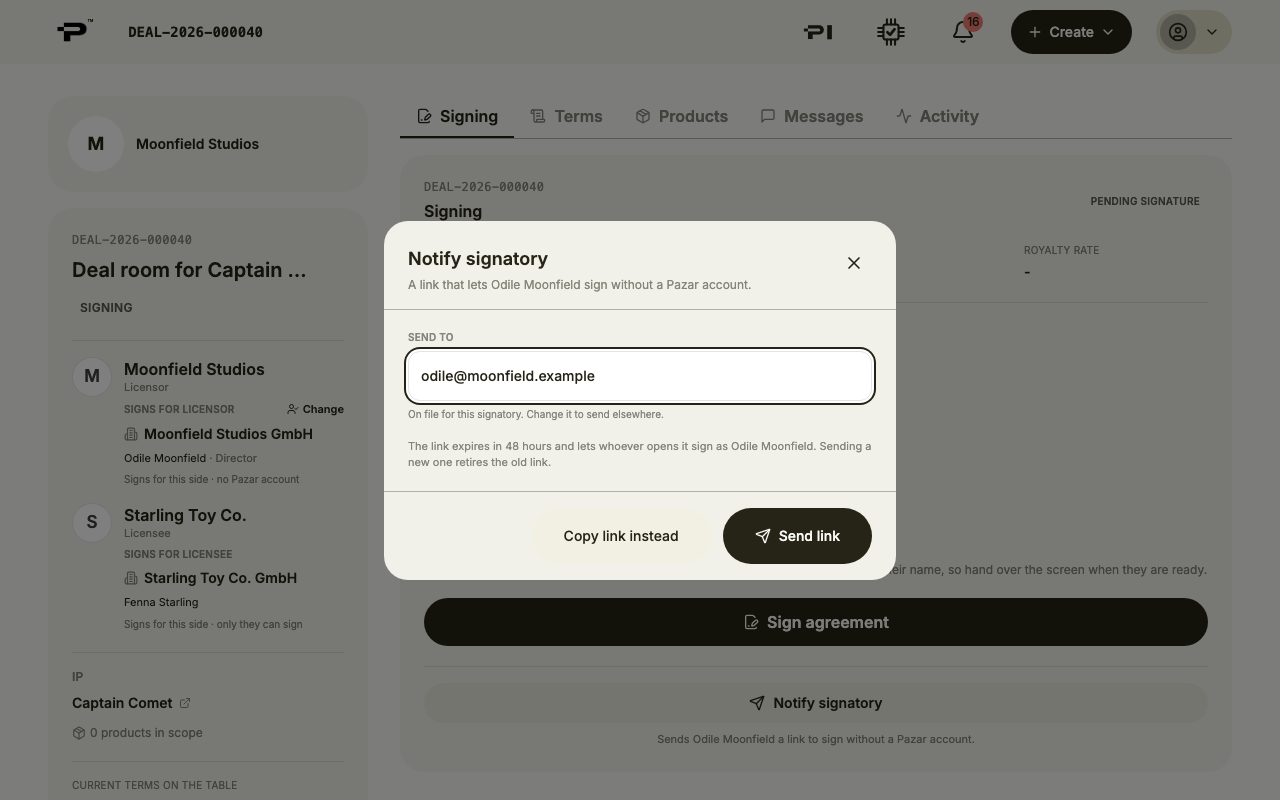
If your signer has no Pazar account, click Notify signatory. Enter their email and click Send link, or Copy link instead to send it yourself. The link expires in 48 hours.
- 9
Both sides signed
When both signatures are in, the agreement is in effect and the room gains the tabs you run the license from: Terms, Reporting, Billing, Approvals and Files.
Still stuck? Contact us