All guides
Getting started
2 minInvite a teammate
Give a colleague their own login to your organisation, with a role that sets what they can do.
- 1
Open Members
Go to Settings and choose Members in the sidebar. The page is headed Organisation Members.
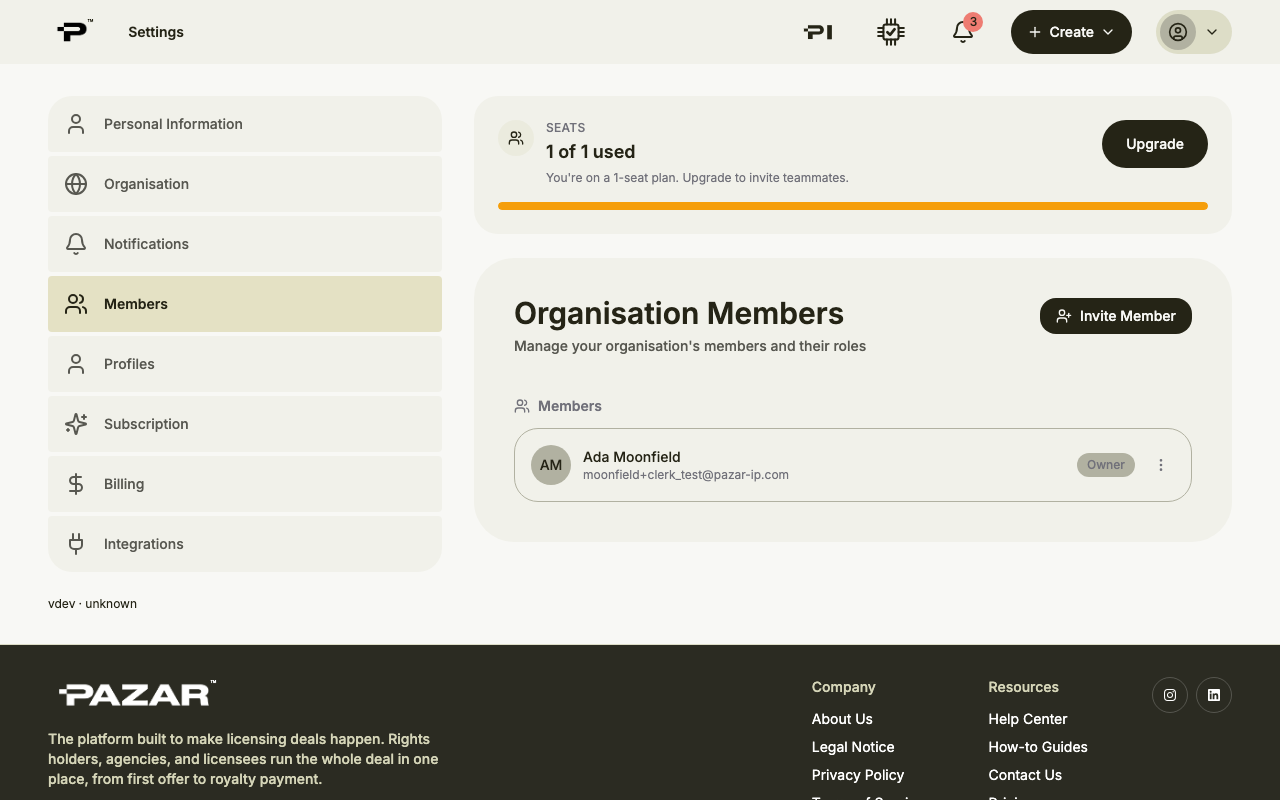 Each plan comes with a number of seats, shown at the top of the page. If they are all used, choose Upgrade before inviting.
 - 2
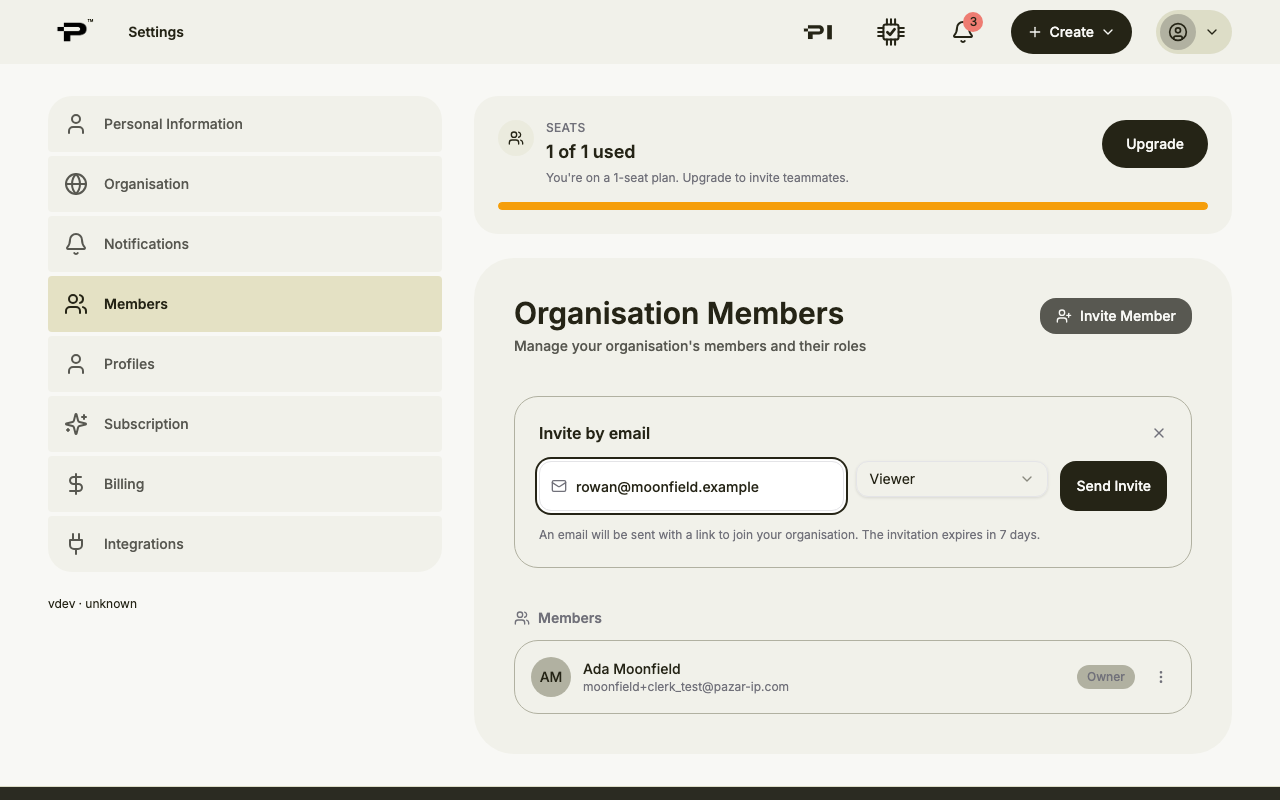
Click Invite Member
A panel titled Invite by email opens. Enter your colleague's work email address.
- 3
Pick a role
Choose the role your colleague should have. The most limited role is selected for you, so raise it only if they need more.
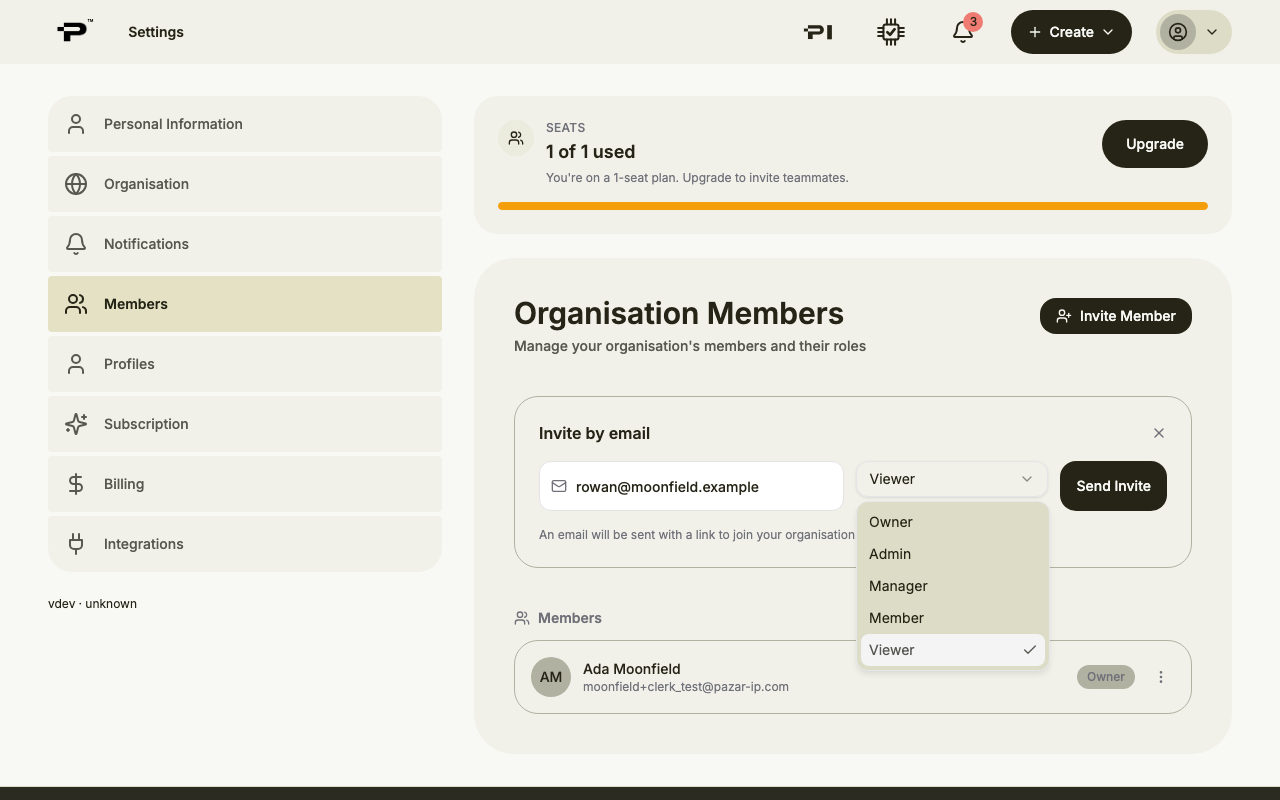 You can change a role later from the menu next to each member, using Change Role.
 - 4
Send the invite
Click Send Invite. Your colleague gets an email with a link to join. The invitation expires after 7 days, and you can cancel it under Pending Invitations until it is accepted.
Still stuck? Contact us