Import a signed contract
Bring a deal you already signed into Pazar. Upload the PDF and Pazar reads the terms for you.
- 1
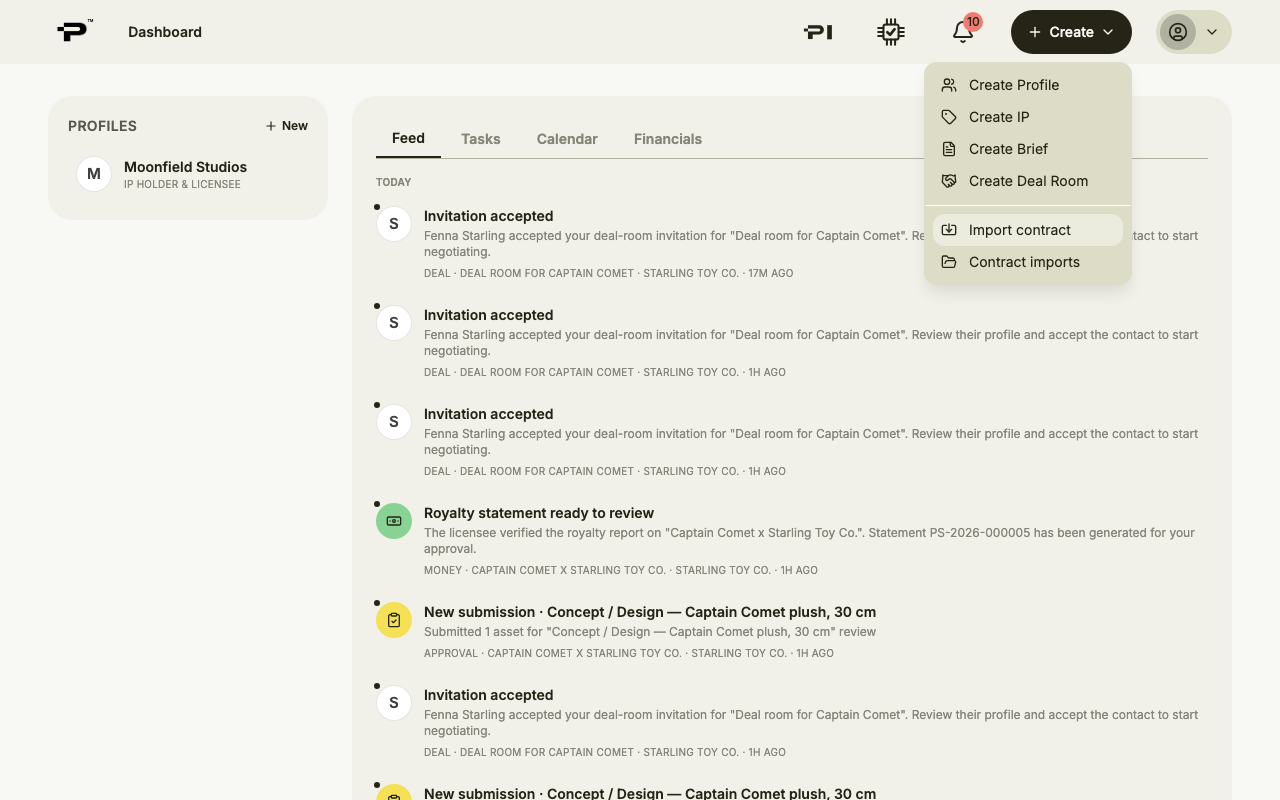
Start from Import contract
Open the Create menu in the top bar and choose Import contract. Imports you have already started are listed under Contract imports.
- 2
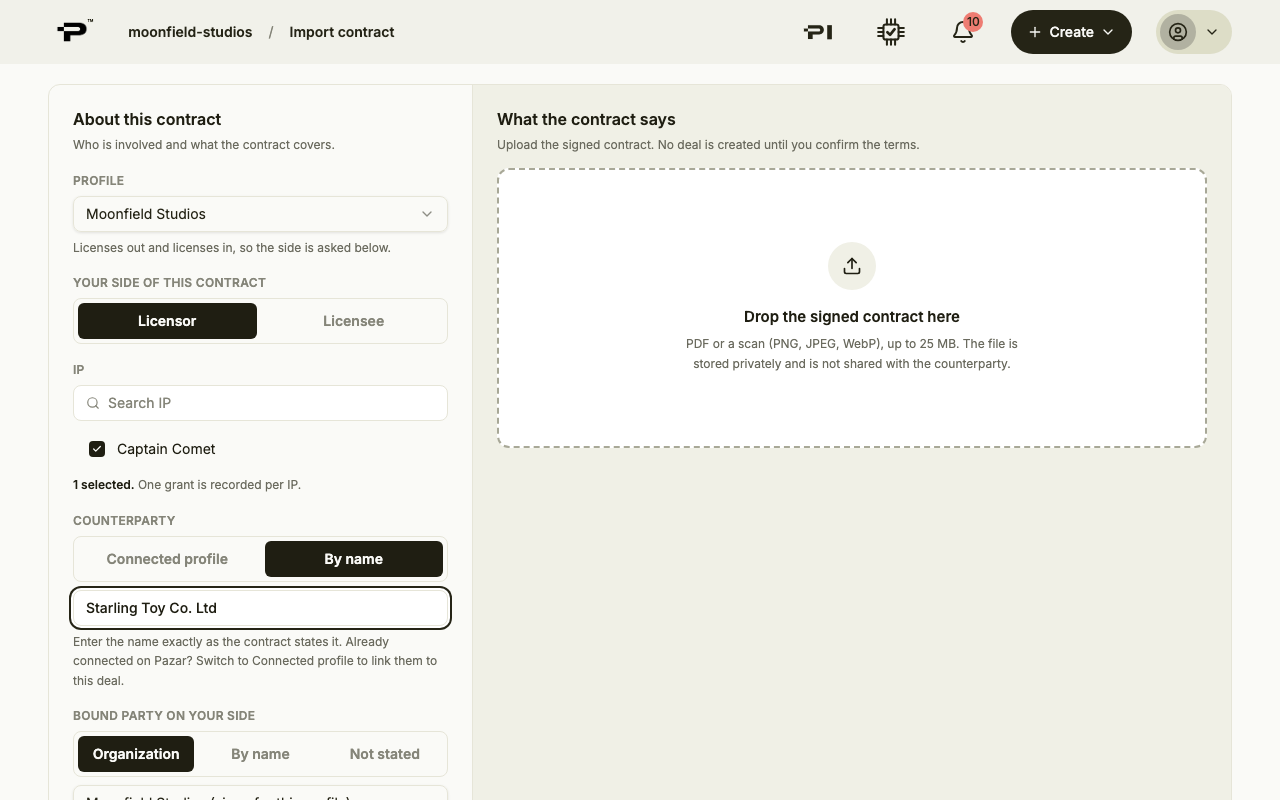
Say who is involved
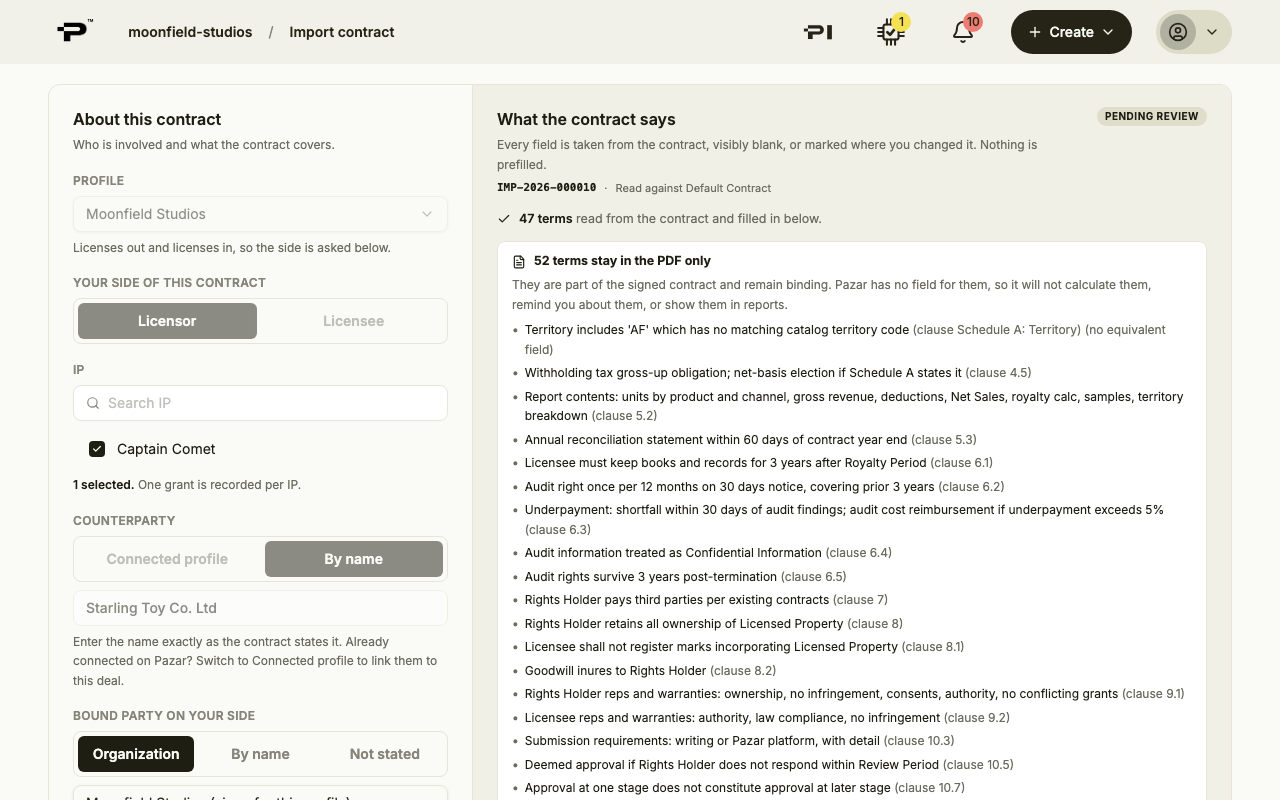
Under About this contract, choose your profile, whether you are the Licensor or the Licensee, the IP it covers, and the counterparty, either a connected profile or by name.
- 3
Upload the contract
Under Source, choose Upload PDF. Drop the signed contract into the box: a PDF or a scan (PNG, JPEG, WebP) up to 25 MB. Then click Start import.
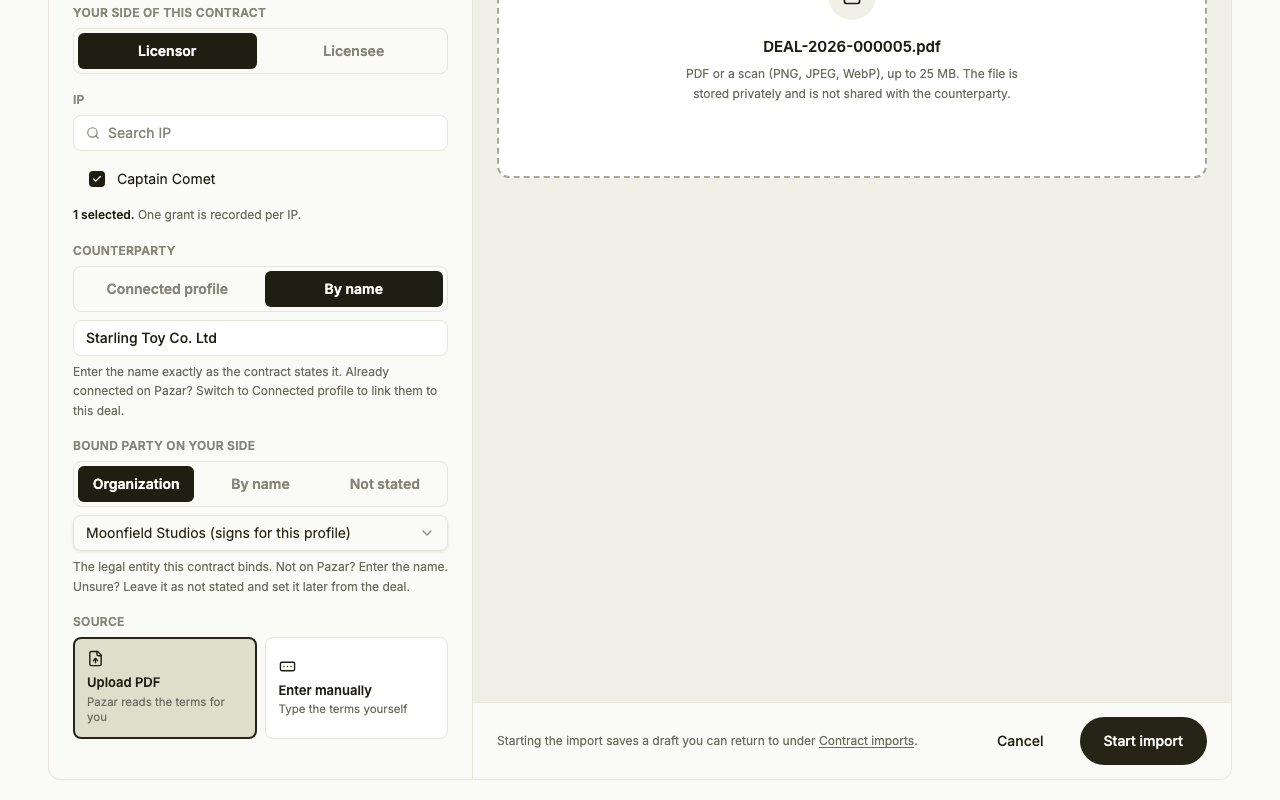 No file to hand? Choose Enter manually and type the terms yourself.
 - 4
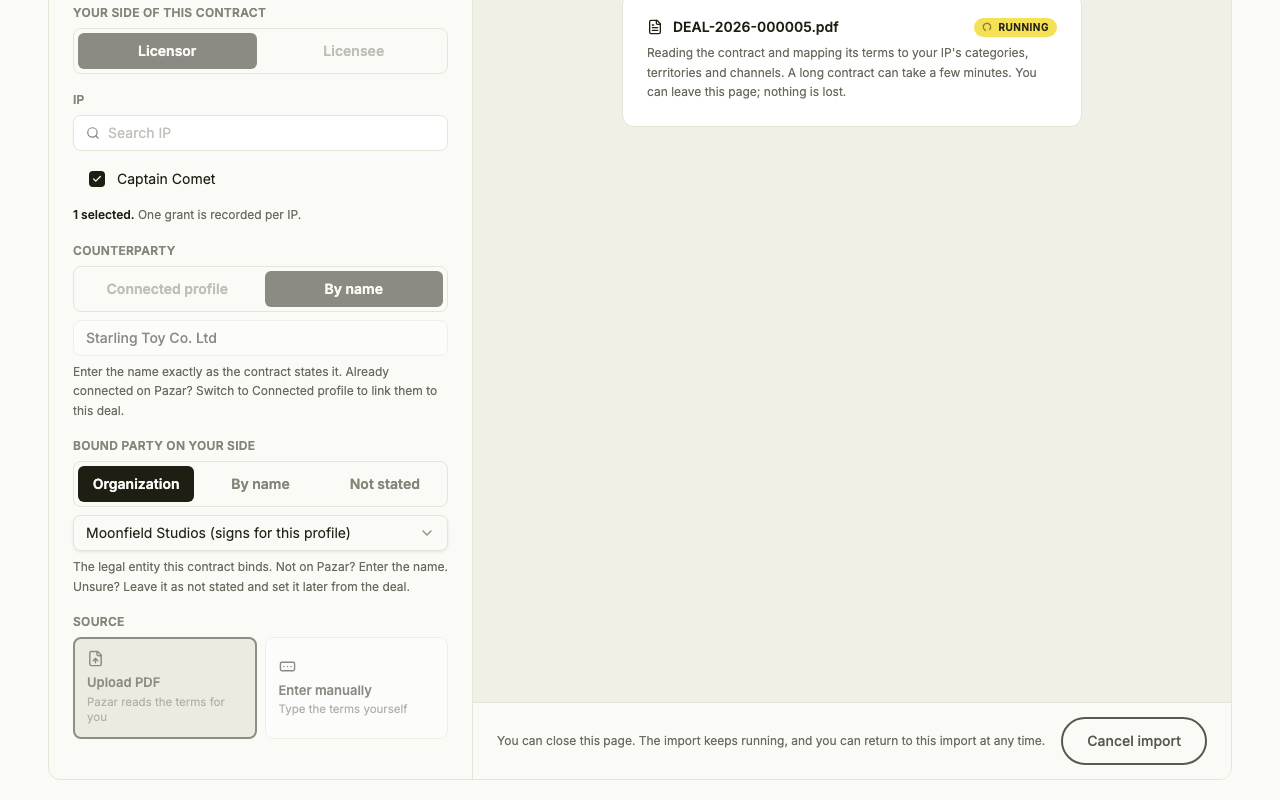
Let Pazar read it
Reading the contract can take a few minutes. You can leave the page and come back; the import keeps running.
- 5
Review and accept
Every term is either filled from the contract or left visibly blank, and anything you change is marked. Your edits save automatically. When the terms are right, click Accept and create deal.
- 6
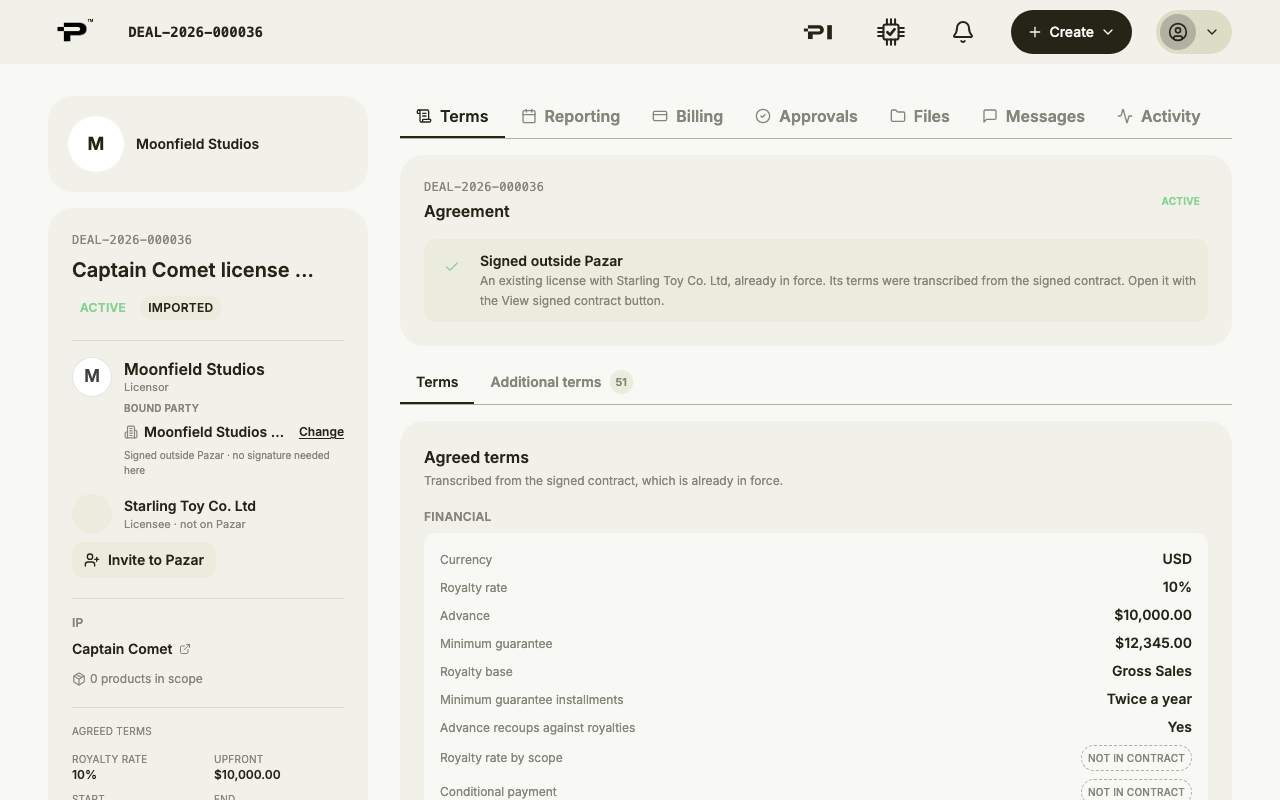
Open the deal
The import is marked Imported. Click Open deal to continue in the deal room.
Still stuck? Contact us