Connect with another organisation
Profiles are private by default. Connect with a partner so they can see who you are and you can start licensing together.
- 1
Open the Access tab
Open your profile and choose the Access tab. Connected organisations lists everyone your profile is connected with today.
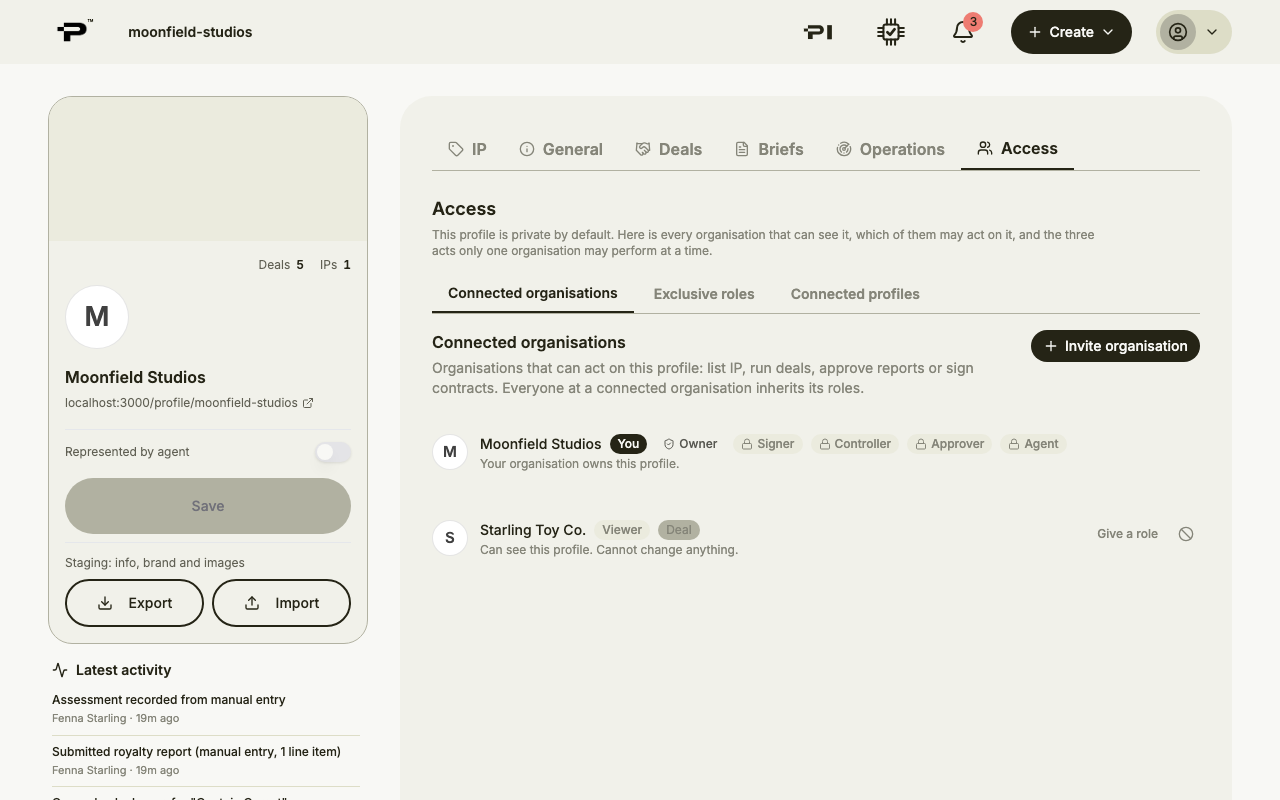 Nobody sees a profile until you connect, so this list starts with your own organisation only.
 - 2
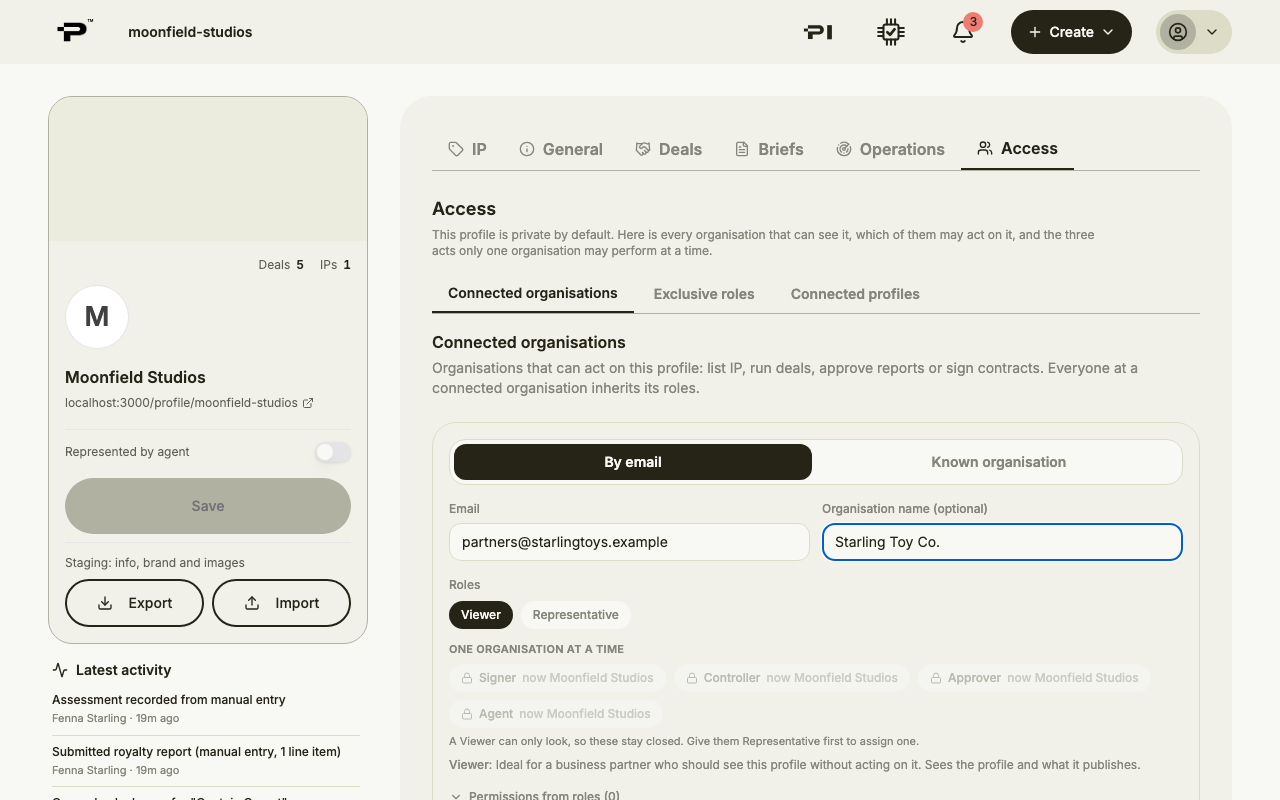
Click Invite organisation
Choose how to reach them. By email takes their email address and, if you like, their organisation's name. Known organisation lists the organisations you have already dealt with on Pazar.
- 3
Start with the Viewer role
Viewer is selected for you. It lets them see your profile and what it publishes, which is what they need to talk about a deal, without acting on it. Add a short message saying what you have in mind.
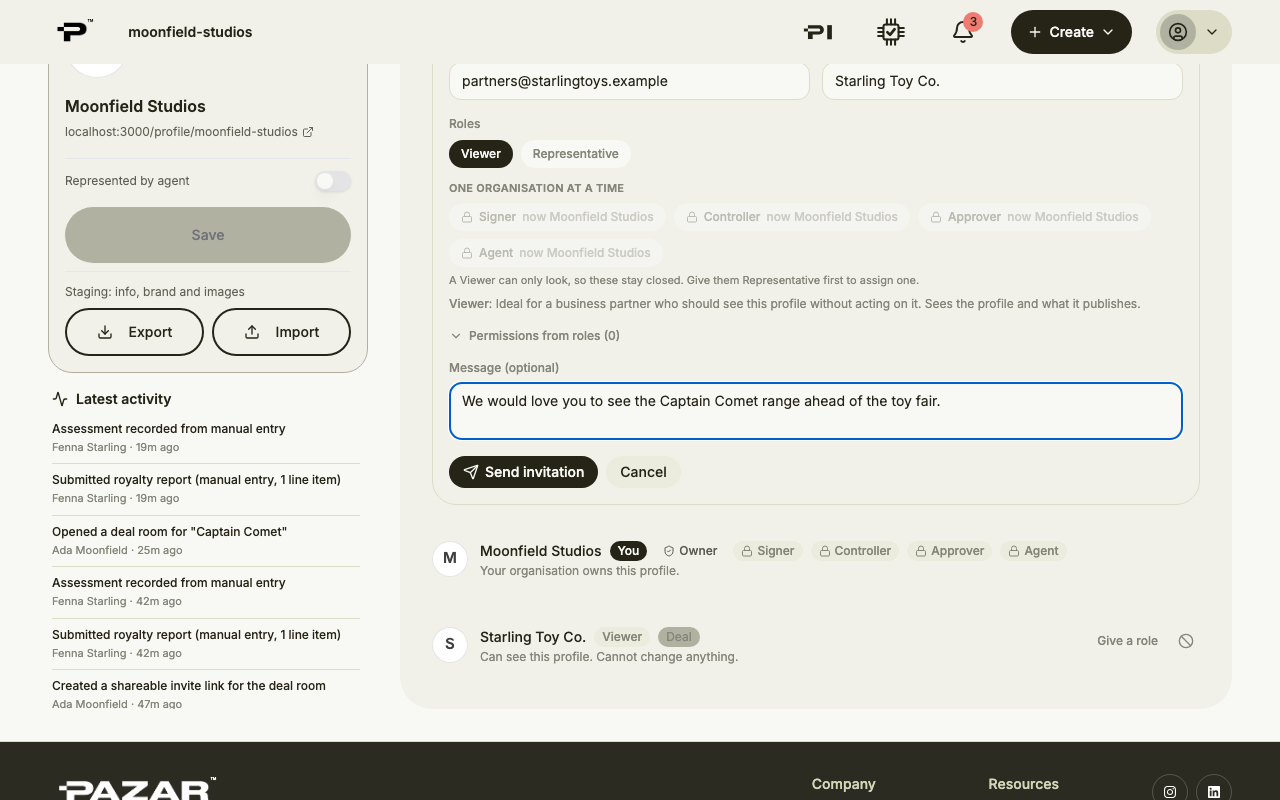 Want them to work on the profile with you, for example as your agency? See Give another organisation a role on your profile.
 - 4
Send the invitation
Click Send invitation. Your organisations are connected straight away, so from now on you can pick each other under Known organisation. The invitation waits under Pending invitations until they answer, and you can withdraw it from there.
- 5
They accept
They get an email with Accept and Decline. Once they accept, everyone at their organisation can see your profile, and you are ready to open a deal room together.
Still stuck? Contact us